
H1ProofServicesCTA
WEBSITE CASE · IN DEVELOPMENT · LOCAL SERVICE
LOCAL REPAIR PRO · LOCAL-SERVICE WEBSITE CASE
A premium website for a local service business—with clear services, defined service areas and a simpler request journey.
Local Repair Pro brings service categories, common project types, regional coverage and structured customer intake into one clear multi-page experience.
Website strategy, UX, visual design and front-end development for a local home-repair business.
A ProAI Expert website case currently in development.
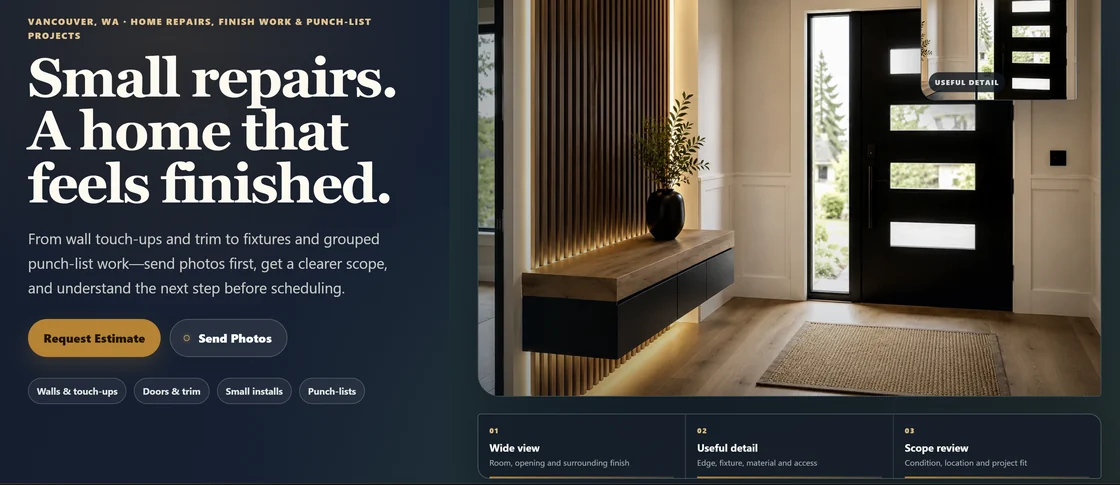
- MULTI-PAGE WEBSITE
- 5 SERVICE GROUPS
- 10 AREA PAGES
- 3 REQUEST PATHS
WEBSITE SCOPE
Built as a complete website, not a single landing page.
Local Repair Pro is organized as a complete website architecture rather than a single landing page. The system connects five service groups, recognizable project types, and regional service-area pages into a coherent structure.
Instead of relying on a single contact form, the website provides practical context at every step, guiding visitors through pricing expectations, common questions, and defined request paths.
- 01Services
- 02Project types
- 03Service areas
- 04Guides
- 05FAQ
- 06Request
THE WEBSITE CHALLENGE
A local-service website has to answer more than “What do you do?”
When a visitor arrives at a local-service website, they usually carry immediate uncertainties: Does this situation fit the service? What specific details matter for an estimate? Is my location actually covered? What should I prepare before reaching out?
A basic list of services and a phone number leave all this qualification work to the first conversation. The website addresses this uncertainty directly by organizing the journey around four practical boundaries.
- SERVICE FITWhich group best matches the situation?
- PROJECT CONTEXTWhat area, detail or access condition matters?
- REGIONAL RELEVANCEIs the location within the intended market structure?
- NEXT STEPWhat should the visitor prepare before making contact?
SIGNATURE SYSTEM
Photos become useful when they clarify scope.
The Photo-to-Scope Field System gives each request the same practical structure. A wider view establishes the setting. A close detail shows the relevant condition. The visitor explains what matters, and the website connects that context to a service group and a human fit review.
This makes photo guidance part of the website experience rather than an afterthought. It also creates a consistent information structure that could support future operations without presenting automation as already active.
- 01AREA
Show the wider space and surrounding finish.
- 02DETAIL
Add the fixture, gap, edge, mark or access condition.
- 03PRIORITY
Explain the desired result or practical concern.
- 04FIT
Review service group, location, materials and specialist boundaries.
AREA → DETAIL → PRIORITY → FIT

Five clear service groups
The website organizes common requests into walls and touch-ups, doors and trim, assembly and small installs, mounting or fixture review, and grouped home-detail projects.
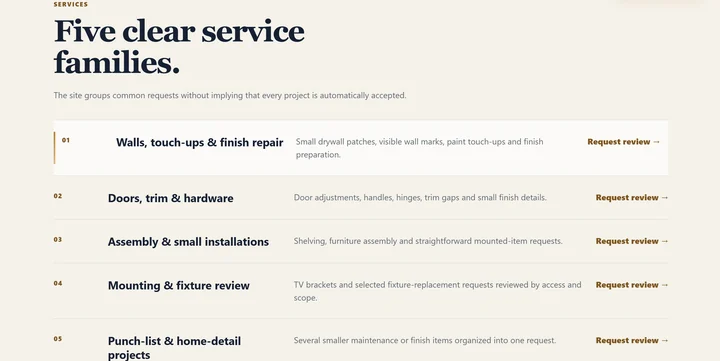
The signature system supports a clearer human review; it does not claim automated photo analysis.
CONTENT ARCHITECTURE
Common project types become part of the navigation.
Instead of presenting one broad handyman list, the website uses recognizable situations to help visitors identify what kind of request they have. Trim details, door hardware, laundry access, mounting and fixture review become concrete entry points into the service structure.
The scenario system also gives the brand a visual rhythm across the homepage and supporting pages. Each image is paired with a service category, a short explanation and the kind of context that matters before review.
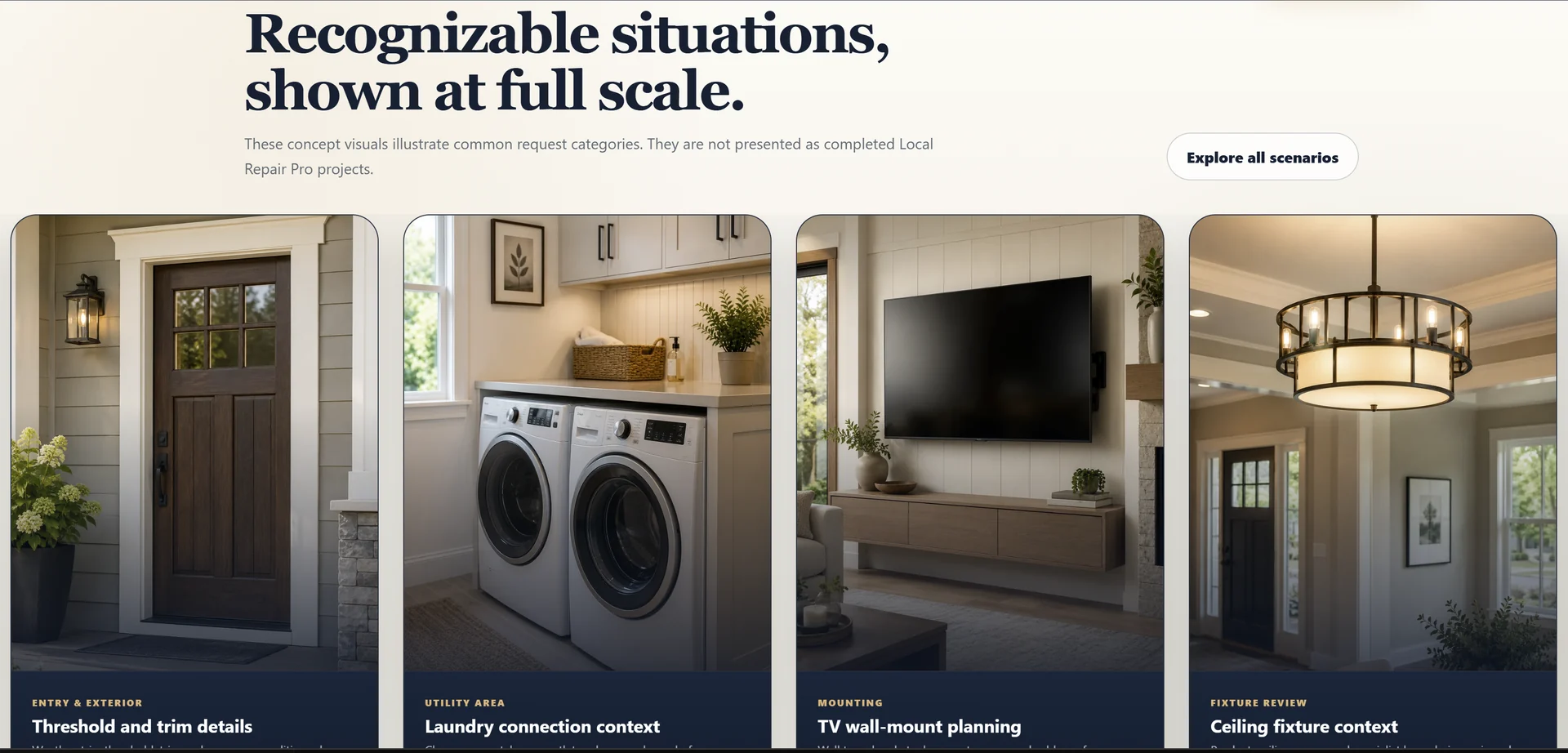
- Entry & exterior Threshold and trim details
- Utility area Laundry connection context
- Mounting TV wall-mount planning
- Fixture review Ceiling fixture context
REGIONAL STRUCTURE
Local relevance without a fictional service radius.
The website is organized around Vancouver, Washington, with Clark County context and selected Portland-area requests reviewed by location and project scope. A service-area hub and ten city pages give the website clear regional entry points without pretending that every location is automatically covered.
The map is used as orientation, while the copy explains how access, travel, materials and the type of work can influence the next step. Local content becomes part of the user experience rather than a list of place names added only for search.

- VANCOUVERPrimary market direction
- CLARK COUNTYRegional context
- PORTLAND AREALocation and scope review
- NO FIXED RADIUS
CUSTOMER INTAKE
A request path designed around useful project context.
The website supports three starting points: a detailed Repair Request, a Quick Question and photo guidance. Visitors can begin with the level of detail they already have instead of being forced into one long form.
The detailed path collects contact preference, city or ZIP, service group, issue location, description, timing, access, materials and photo notes. The structure is designed to prepare a useful human review and to create a clean foundation for future operational integrations.
Related insight: how to verify scope, ownership and acceptance before a website project begins.
- Detailed Repair RequestStructured project context
- Quick QuestionBrief initial inquiry
- Photo GuidanceGuidance for useful photo context
CHOOSE A PATH → DESCRIBE THE PROJECT → ADD CONTEXT → REVIEW SCOPE
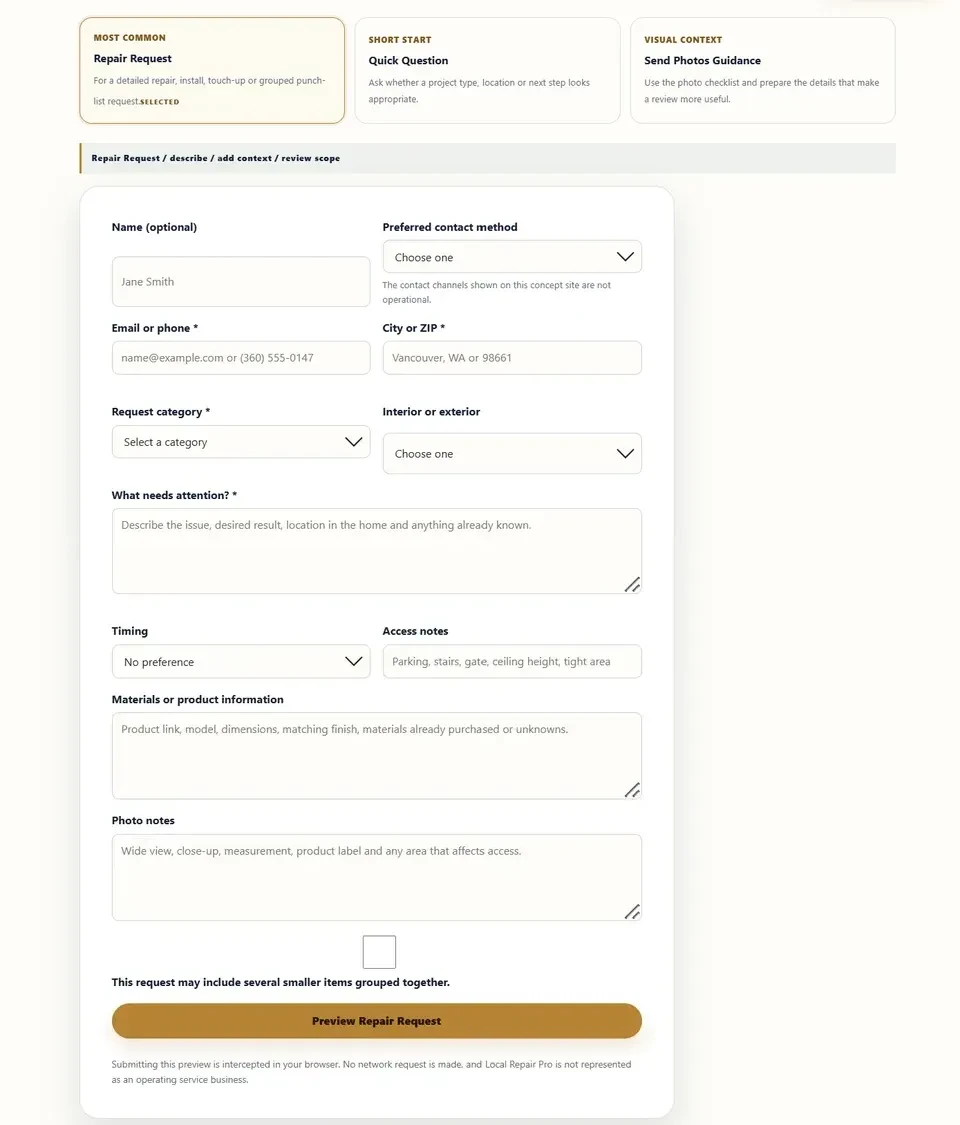
- Contact preference
- City or ZIP
- Service group
- Issue location
- Description
- Timing and access
- Materials
- Photo notes
Interface preview · No data transmission or storage
The intake experience demonstrates a clear information structure without claiming active delivery.
RESPONSIVE SYSTEM
The same website logic, rebuilt for narrow screens.
The mobile experience is recomposed rather than reduced. The homepage keeps the main value proposition, service cues and primary actions readable within a narrow viewport. The request page preserves intent selection, the beginning of the form and persistent actions without hiding the content underneath them.
Navigation, content order, static fallbacks and reduced-motion states follow the same information hierarchy across the site. The result is a responsive system built around real page content rather than a desktop composition placed inside a phone frame.
REFLOW MATRIXOrder, hierarchy and action priority
NavigationH1ProofCTA
H1CTAProofRequest intentForm start
PROJECT OUTCOME
A complete multi-page direction for a local-service brand.
Local Repair Pro resolves the local-service journey by giving visitors a clear recognition of service fit, explicit regional context, and a structured way to prepare request information before their first interaction.
This case also demonstrates our professional production process: website strategy, content architecture, visual direction, responsive design, and front-end implementation are built as one continuous system rather than isolated deliverables.
Local Repair Pro is a ProAI Expert website case currently in development. It demonstrates website strategy, UX, visual design, responsive production and front-end implementation. It is not presented as a client launch or a business-performance case.